Read what your agents write.

dotPen is a free Markdown viewer for Mac. It renders every file the way it was meant to look, shows what Claude Code, Codex and Cursor just wrote, and marks exactly what changed since you last read it.

Free and open-source Markdown reader for Mac · macOS 15 or later · No account, no tracking

dotPen's Files window: a rate limiter plan with an agent's edits marked in green, and a list of project folders with unread dots

Your agents write more than you can read.

Every session leaves something behind: a plan, a spec, a handoff, a changelog. They pile up across your repos as raw text. And the one thing you need to know, what changed since you last looked, is the hardest thing to see.

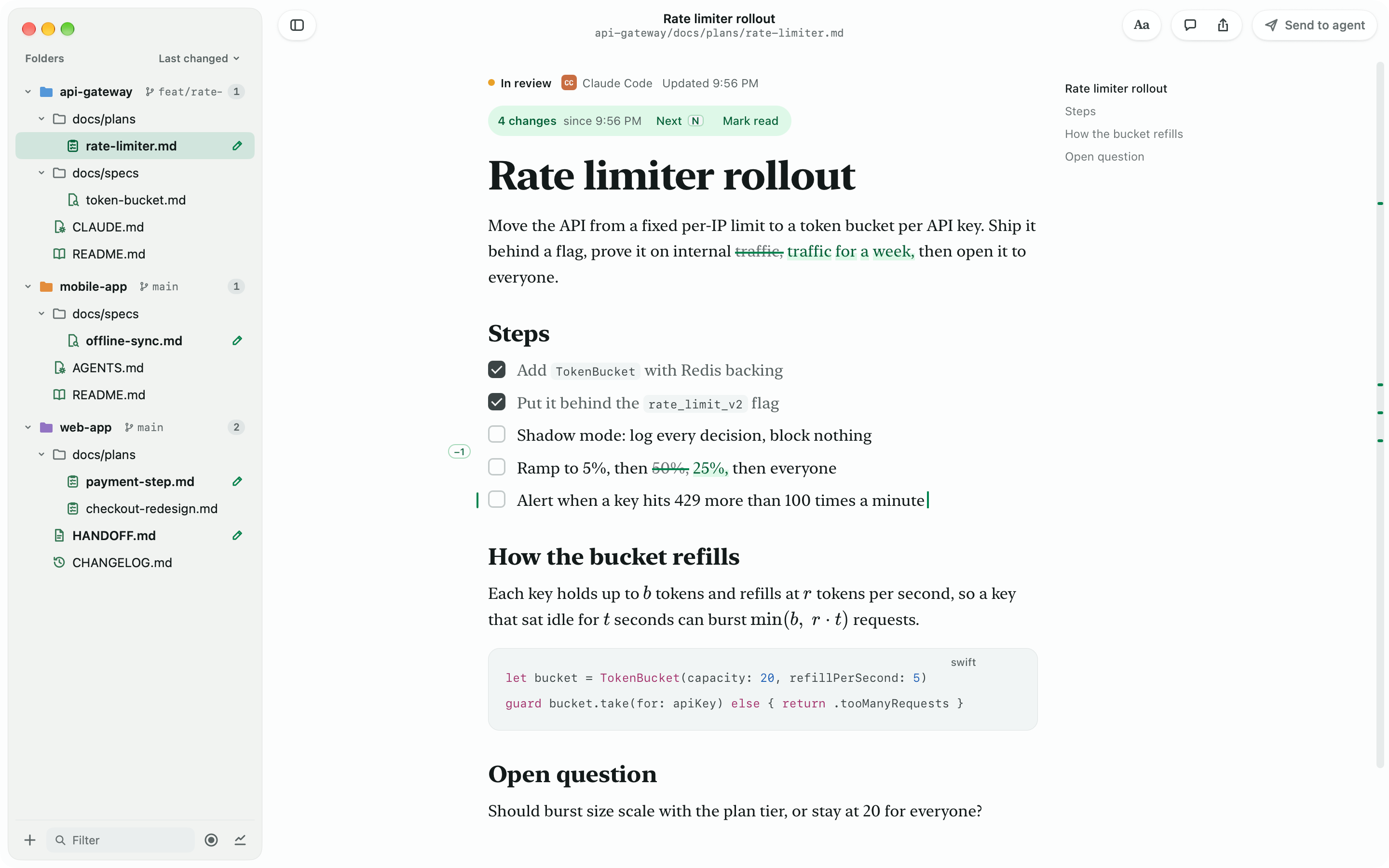
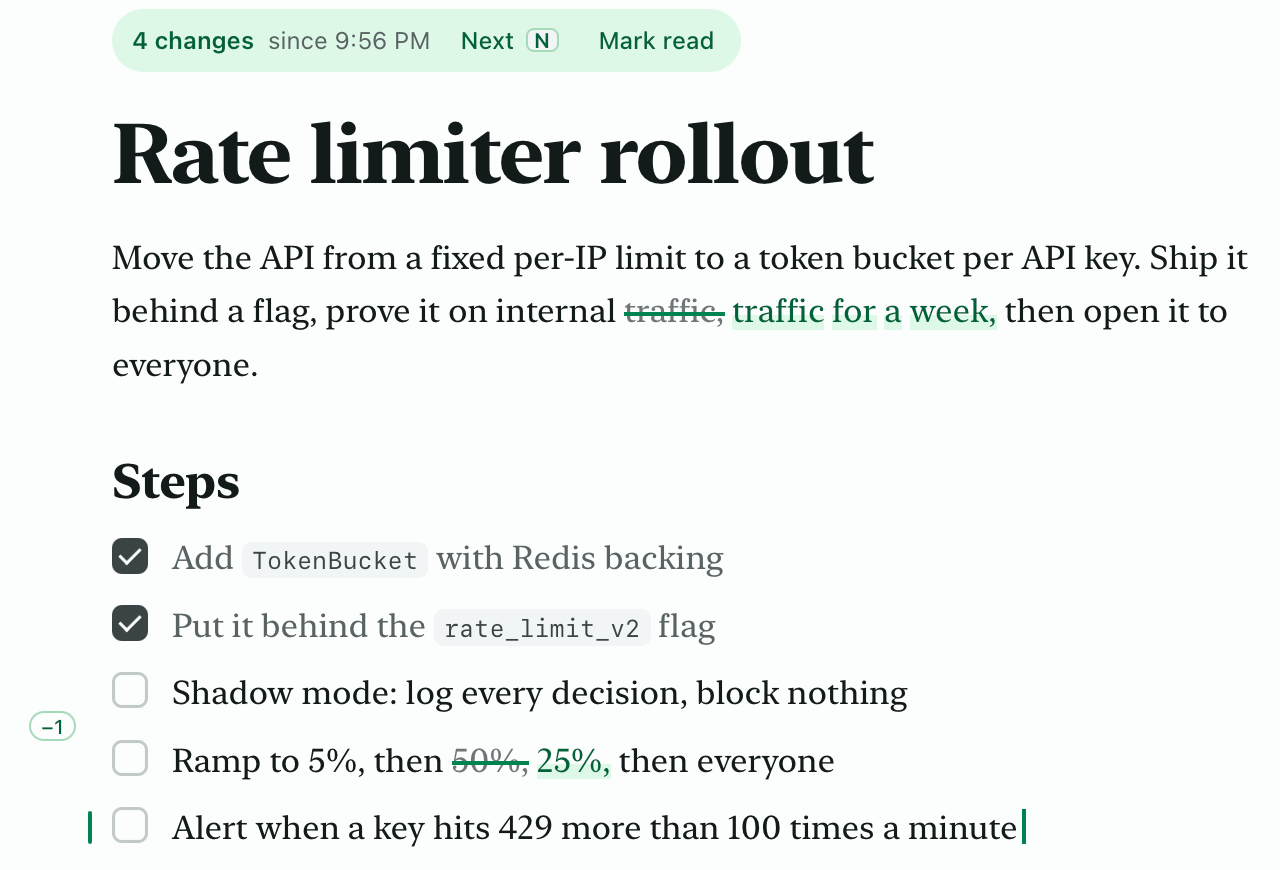
A plan with an agent's edits marked: a struck word replaced in green, a changed percentage, and a tag where a line was removed

See exactly what changed.

Open a plan an agent rewrote and the edits are marked on the page, like a proof: struck words, new lines in green, a tag where lines were cut. Press N to step through them: accept the ones you're happy with, and send the rest back to the agent as a comment. No git, no diff tool, no commit required.
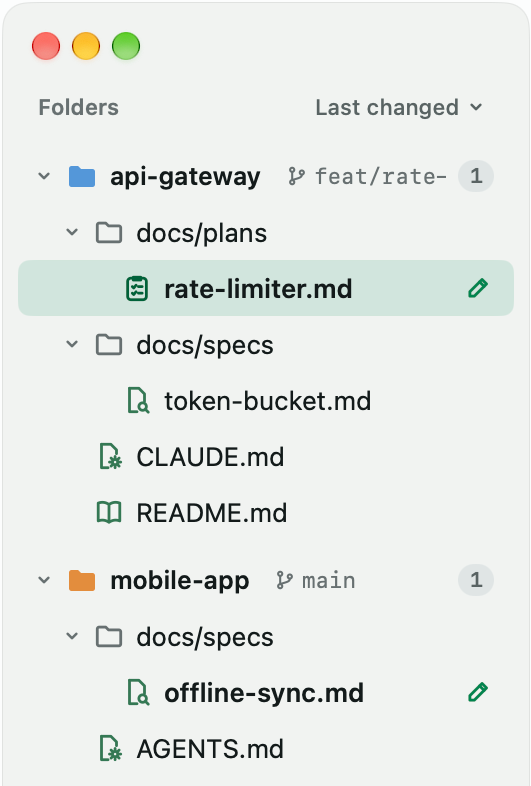
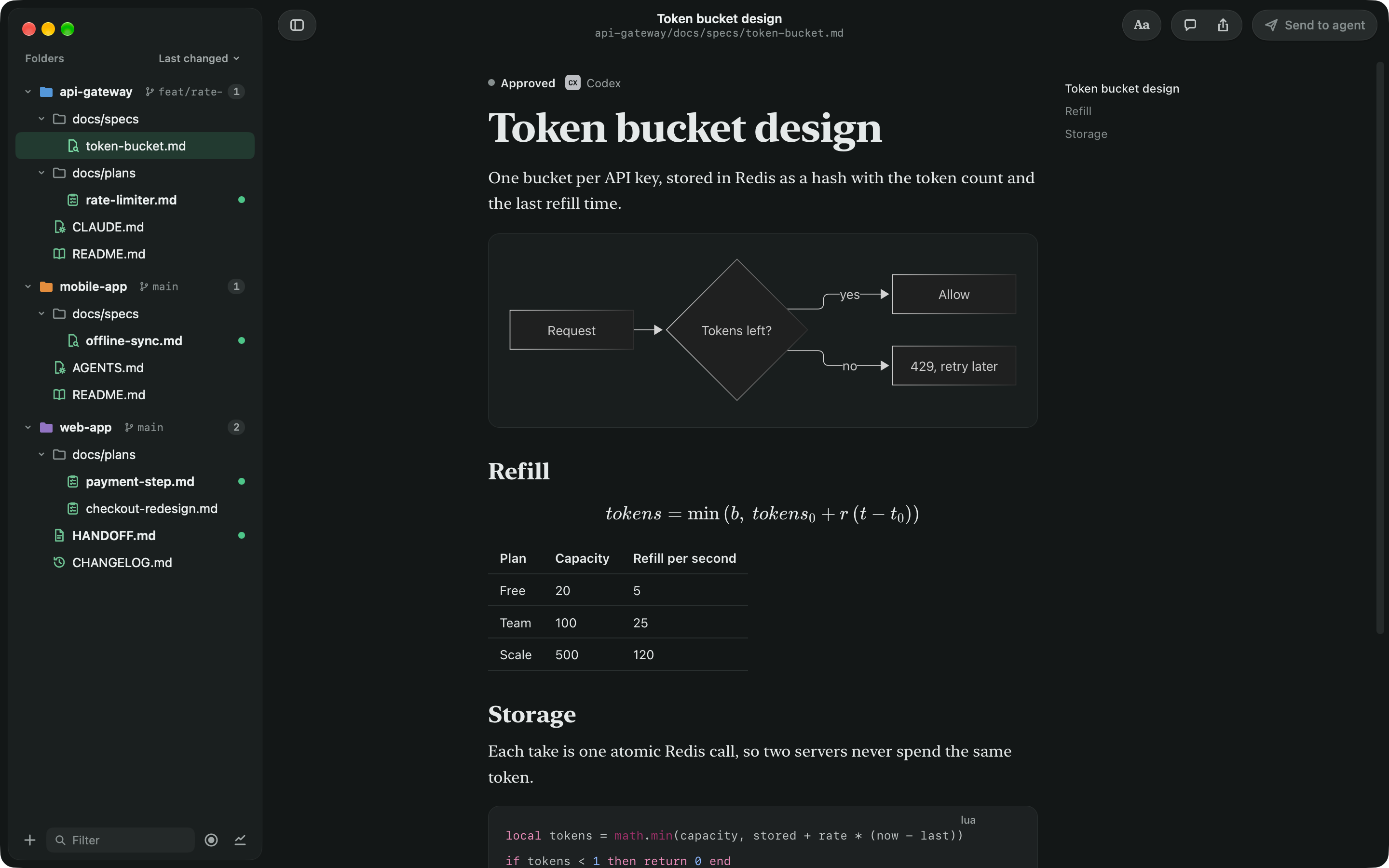
dotPen's file list across repos, with pencils beside the files agents are writing

Know the moment an agent writes.

Point dotPen at the folders your agents work in. New files arrive with a green dot, a pencil moves while a file is being written, and the menu bar shows what's happening without opening the app. Open a file mid-write and follow along as each paragraph lands.

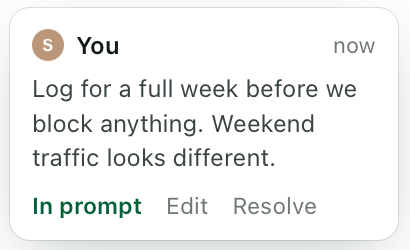
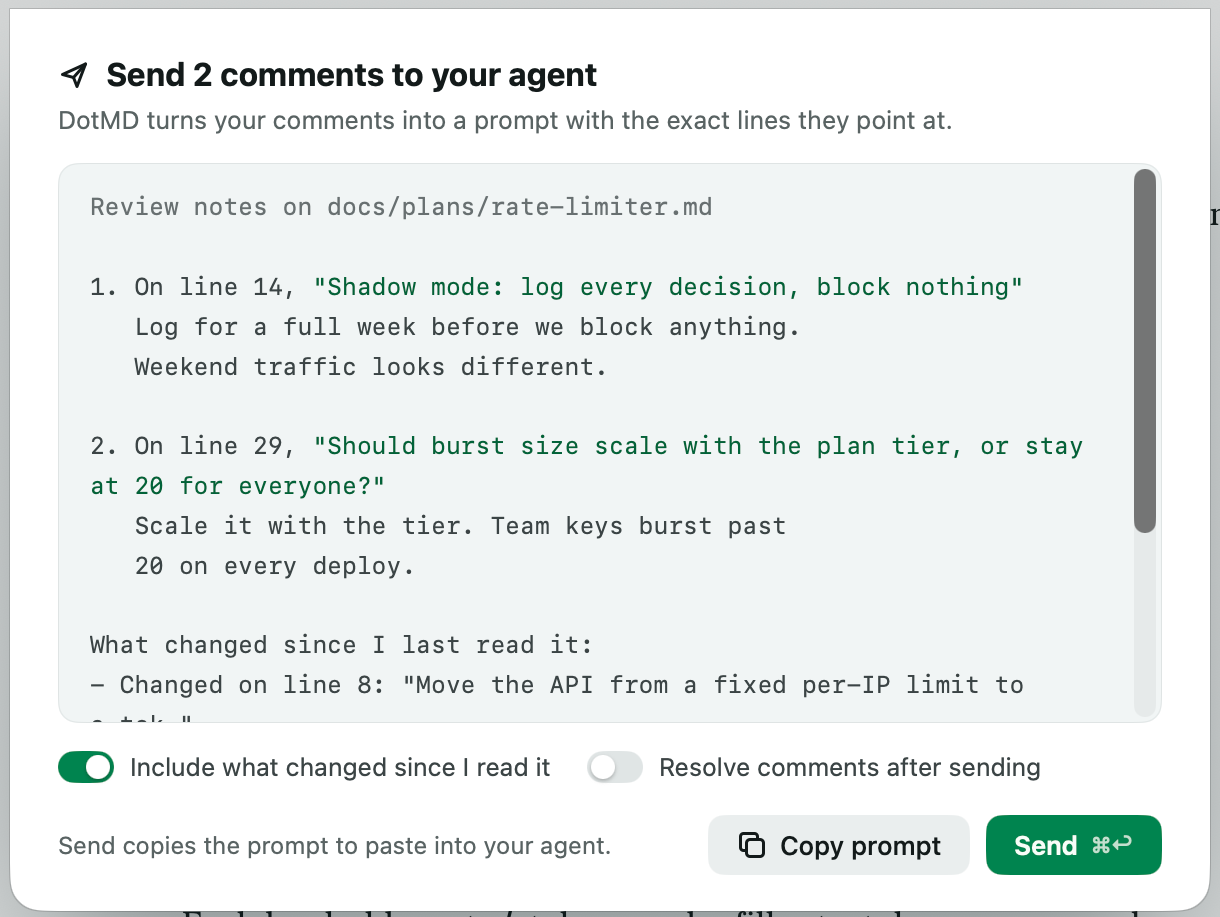
The Send to Agent sheet, turning comments into one prompt with the exact lines they point atA comment in the margin: log for a full week before we block anything

Comment on the page. Send it all back.

Select any line and press C to leave a note in the margin. Send to Agent turns your notes into one prompt with the exact lines they point at, plus what changed. Agents that speak MCP read your comments straight from dotPen and resolve them when the work is done.

Let your agent ask before it moves on.

When an agent wants your eyes on a plan, it asks dotPen for a review and waits. The file gets an amber dot, your Dock shows how many are waiting, and the page shows the agent's note. Comment on anything you'd change, press Done Reviewing, and the agent picks up your comments and gets back to work.

Diagrams, math and code, done right.

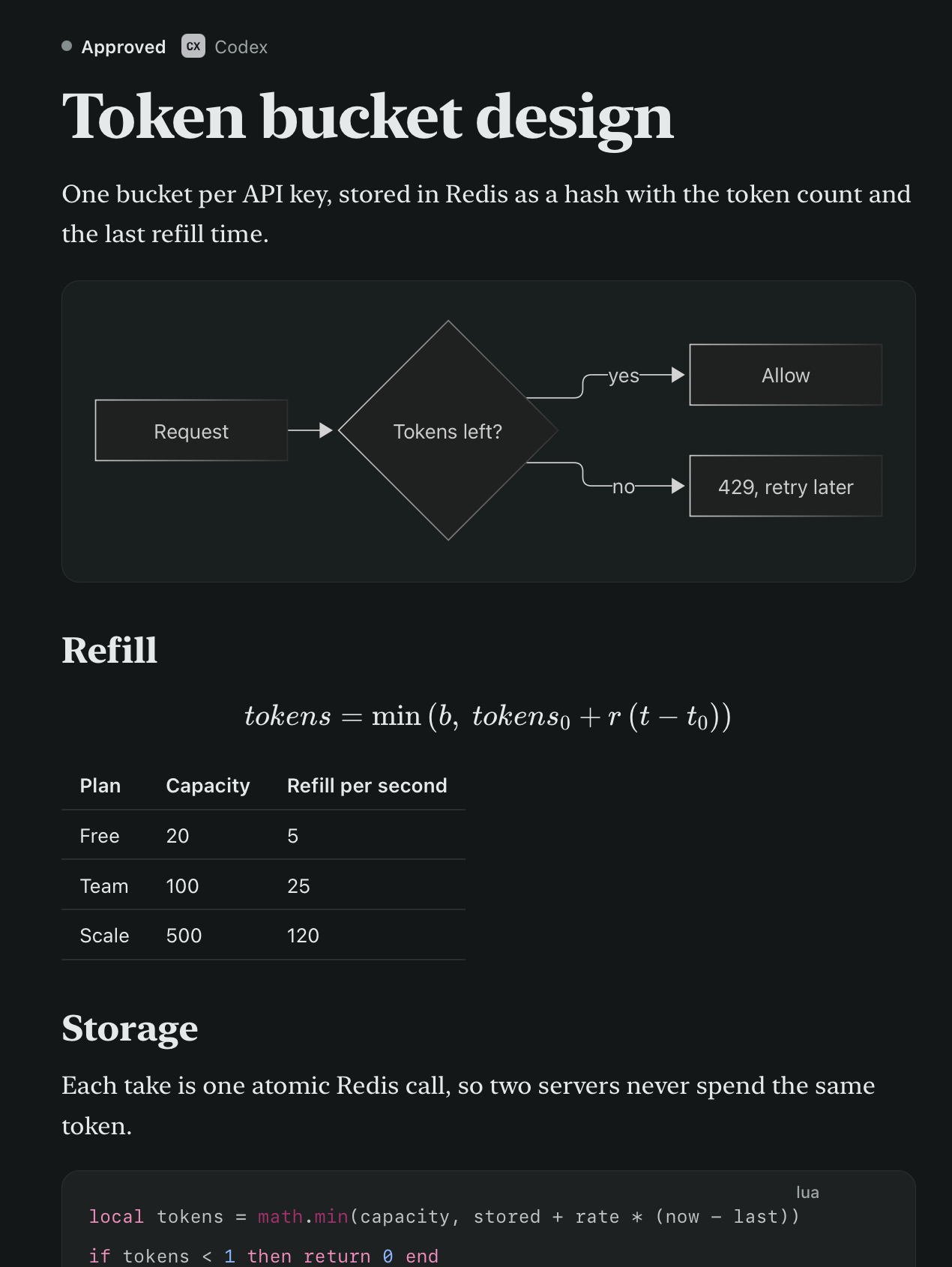
GitHub Flavored Markdown with tables, footnotes, alerts and task lists. Mermaid diagrams, LaTeX math and highlighted code. Set in New York, SF Pro or SF Mono, at four sizes and three widths, on a white, paper or night page.

A token bucket spec on a night page, with a Mermaid flowchart, a formula and a table
MarkdownIn dotPen
‹ ›

At home on your Mac.

Quick Look

Press Space on any .md file in Finder to see it rendered.

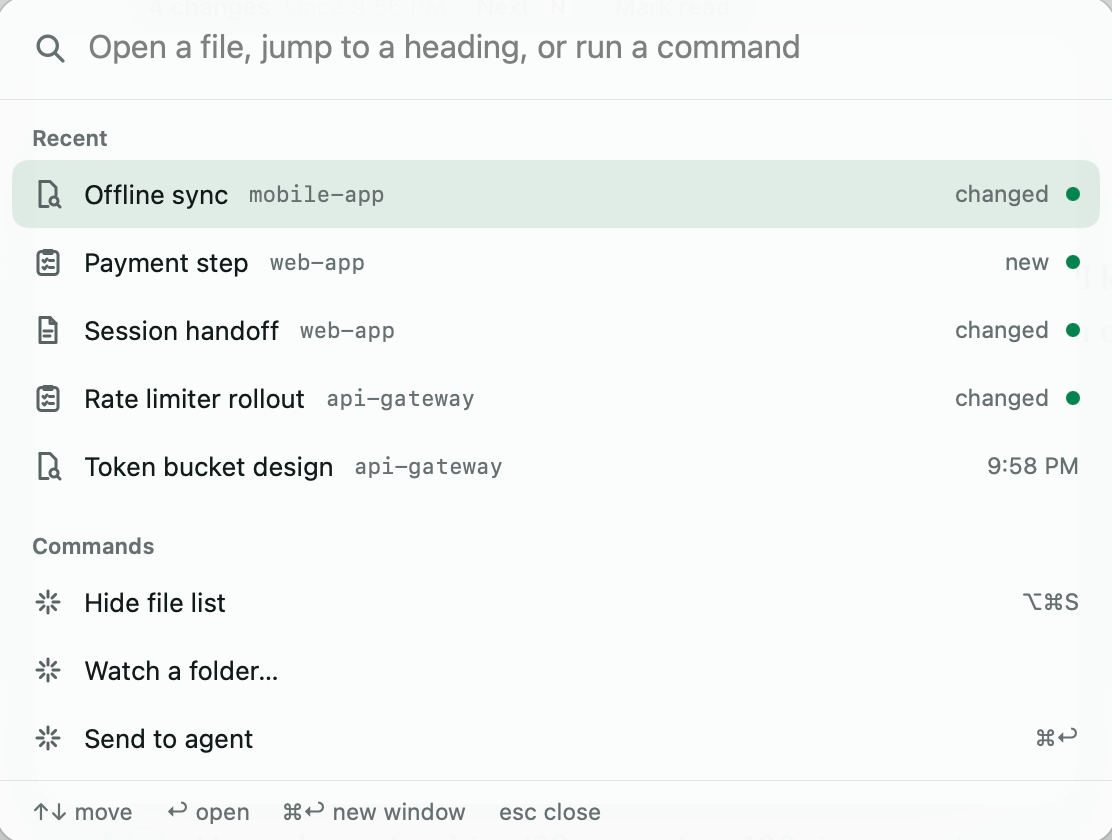
⌘K for everything

Recent files, headings and commands, a few keys away.

Spotlight and Shortcuts

Find watched files in Spotlight. Open files and list open tasks from Shortcuts.

Copy for Slack and Google Docs

Paste a plan into Slack or a doc and keep its shape.

Tick tasks

Tick a box and dotPen writes it to the file. It's the only edit dotPen ever makes.

Keyboard first

J and K move between files, N between changes, C comments, ⌘U shows the source.

PDF and HTML export

Send a clean PDF, or one self-contained HTML file.

Command line

dotpen plan.md opens a file. dotpen ~/code/api watches a folder.

See every feature

Works with the agents you already use.

Claude Code, Codex, Cursor, Gemini CLI, and any agent that speaks MCP. One command in Terminal connects an agent to dotPen's local bridge. dotPen also reads Claude Code and Codex session logs, with your permission, to show which agent wrote each file.

Claude Code
Codex
Cursor
dotPen
Gemini CLI
Any MCP agent

Private by design.

No account, no tracking, no analytics. dotPen reads only the folders you choose, keeps your comments in its own container instead of your repos, and the agent bridge listens on your Mac alone.

Watched foldersOnly what you choose
~/code/api-gateway
~/code/mobile-app
~/code/web-app
~/Documents
Comments stay in dotPenBridge on this Mac only

Questions

How do I open a .md file on a Mac?

macOS opens Markdown as plain text. Install dotPen, then double-click any .md file, or select one in Finder and press Space to see it rendered in Quick Look. To make dotPen the default, choose Get Info on a .md file, pick dotPen under Open With, and click Change All.

Is dotPen free?

Yes. dotPen is free and open source, with no account, no ads and no in-app purchases.

Does dotPen work with Claude Code, Codex and Cursor?

Yes. dotPen is a Markdown viewer made for coding agents: it watches the folders where they write, marks new and changed files, and sends your comments back as a prompt. Claude Code, Codex, Gemini CLI and Cursor can also connect to dotPen's local MCP bridge to read and resolve your comments directly.

Does dotPen change my files?

Only when you tick a task box. Comments, read history and change tracking live in dotPen's own container, so your repos stay exactly as your agents left them.

Do I need git to see what changed?

No. dotPen keeps a copy of each file as you last read it, so it marks changes in files that were never committed.

Can my agent wait for my review?

Yes. An agent connected to dotPen's bridge can ask for your review of a file and wait. dotPen marks the file, shows the agent's note on the page, and when you press Done Reviewing, the agent gets your comments with the exact lines they point at.

How do I read Claude Code plans on a Mac?

Watch your project folder in dotPen. Every plan Claude Code writes shows up in the list with a green dot, rendered with its headings, tasks and diagrams, and the next time it changes, the edits are marked on the page.

What do I need to run dotPen?

A Mac with macOS 15 Sequoia or later.

Your agents are writing. Start reading.

Free and open source. Made by Dotbrain.