# Rate limiter rollout
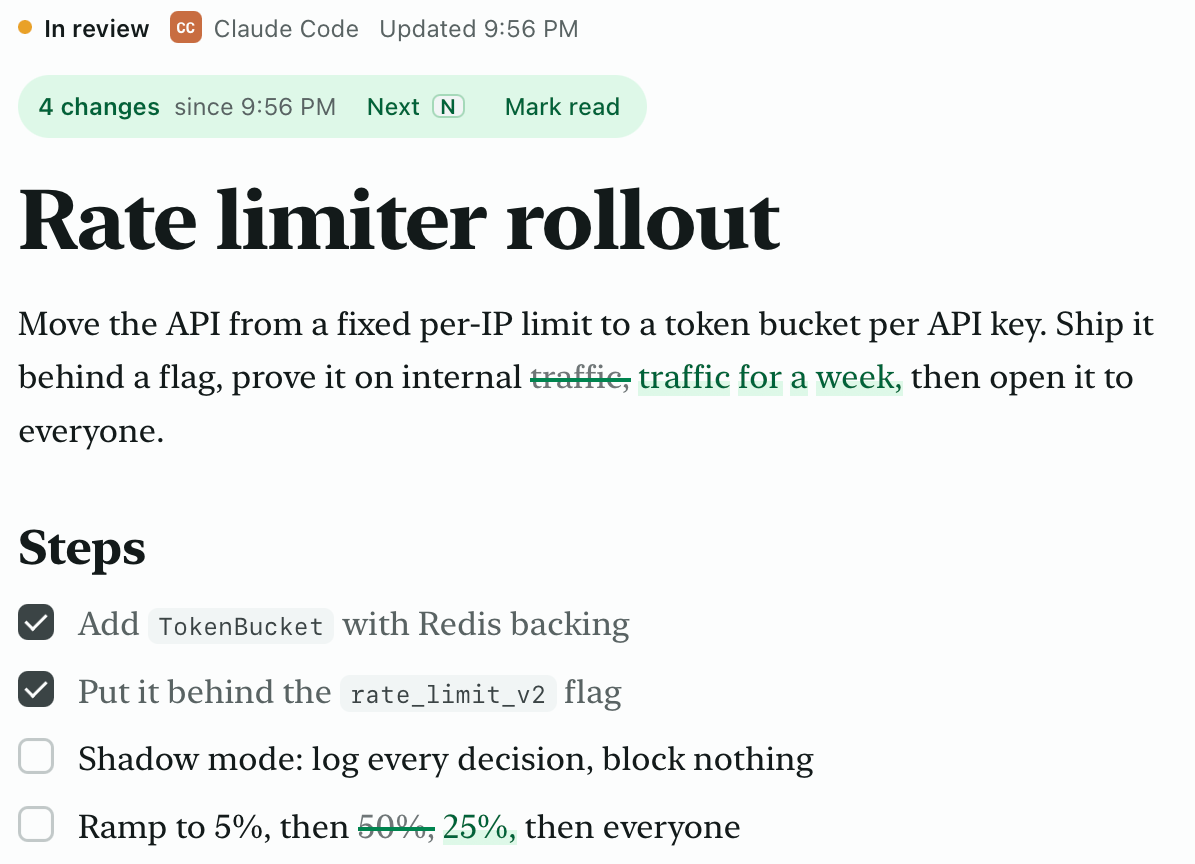
Move the API from a fixed per-IP limit to a token bucket per API key.
- [x] Add TokenBucket with Redis backing
- [x] Put it behind the rate_limit_v2 flag
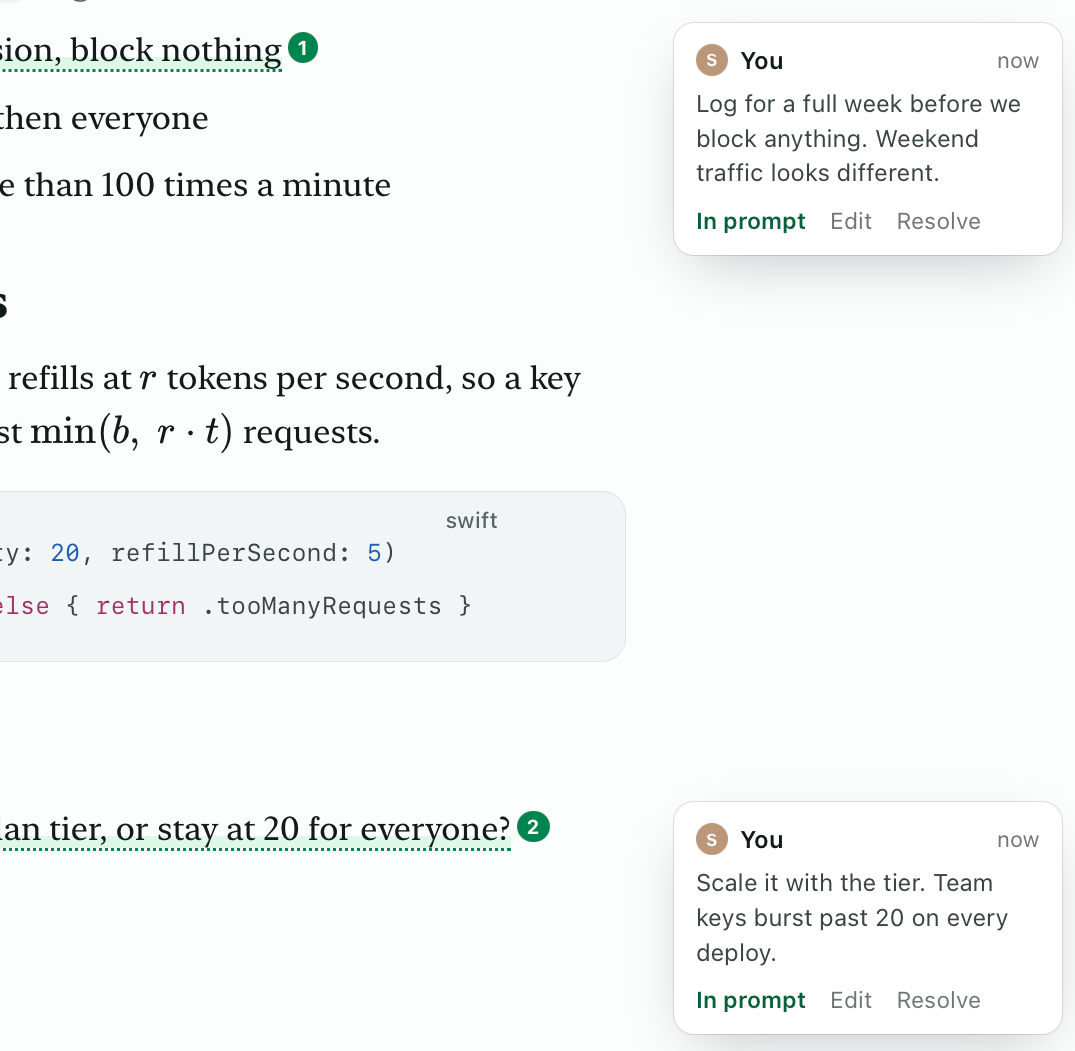
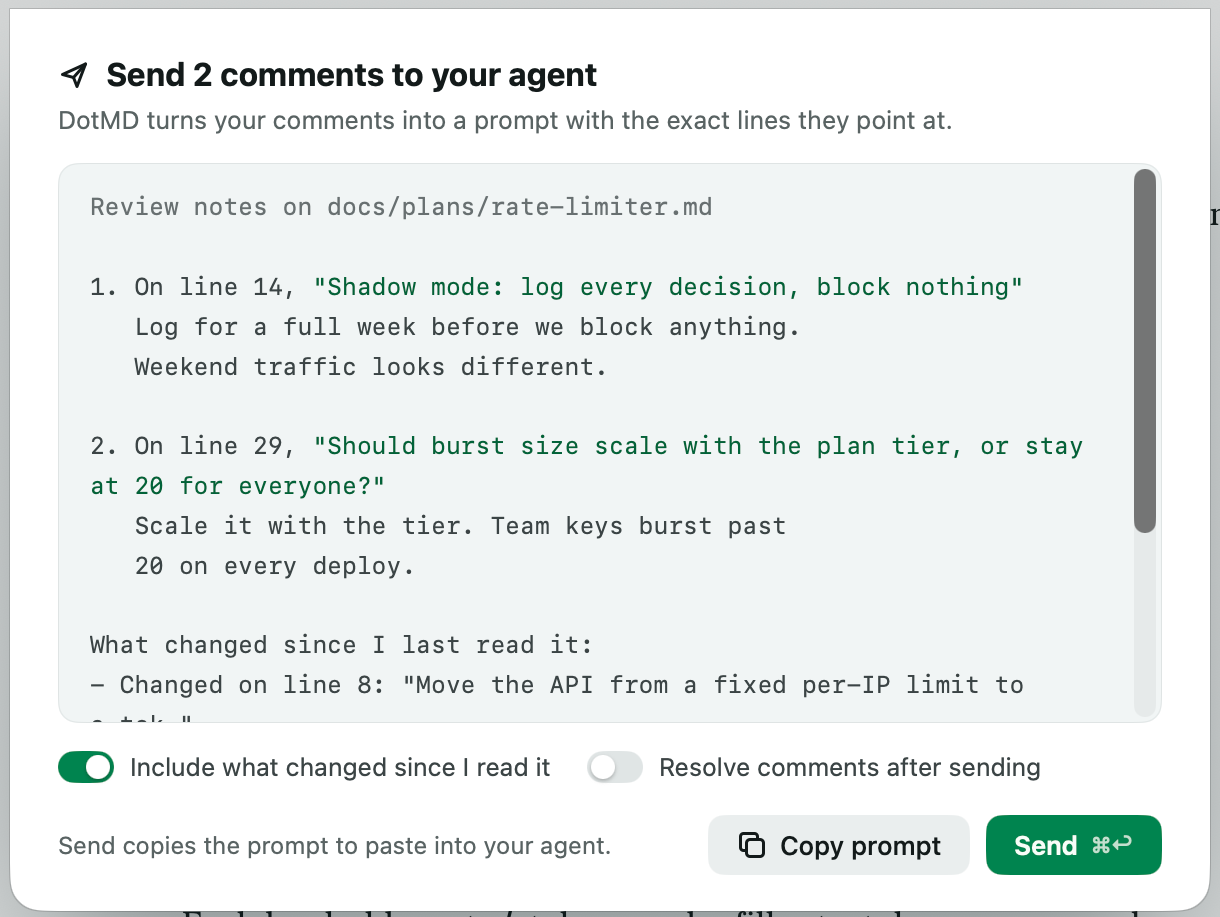
- [ ] Shadow mode: log every decision, block nothing
- [ ] Ramp to 5%, then 25%, then everyone
- [ ] Alert when a key hits 429 more than 100 times a minute
# Rate limiter rollout
Move the API from a fixed per-IP limit to a token bucket per API key.
- [x] Add TokenBucket with Redis backing
- [x] Put it behind the rate_limit_v2 flag
- [ ] Shadow mode: log every decision, block nothing
- [ ] Ramp to 5%, then 25%, then everyone
- [ ] Alert when a key hits 429 more than 100 times a minute
# Rate limiter rollout
Move the API from a fixed per-IP limit to a token bucket per API key.
- [x] Add TokenBucket with Redis backing
- [x] Put it behind the rate_limit_v2 flag
- [ ] Shadow mode: log every decision, block nothing
- [ ] Ramp to 5%, then 25%, then everyone
- [ ] Alert when a key hits 429 more than 100 times a minute
# Rate limiter rollout
Move the API from a fixed per-IP limit to a token bucket per API key.
- [x] Add TokenBucket with Redis backing
- [x] Put it behind the rate_limit_v2 flag
- [ ] Shadow mode: log every decision, block nothing
- [ ] Ramp to 5%, then 25%, then everyone
- [ ] Alert when a key hits 429 more than 100 times a minute
## How the bucket refills
Each key holds up to b tokens and refills at r tokens per second.
## Open question
Should burst size scale with the plan tier, or stay at 20 for everyone?
# Token bucket design
One bucket per API key, stored in Redis as a hash.
## How the bucket refills
Each key holds up to b tokens and refills at r tokens per second.
## Open question
Should burst size scale with the plan tier, or stay at 20 for everyone?
# Token bucket design
One bucket per API key, stored in Redis as a hash.
## How the bucket refills
Each key holds up to b tokens and refills at r tokens per second.
## Open question
Should burst size scale with the plan tier, or stay at 20 for everyone?
# Token bucket design
One bucket per API key, stored in Redis as a hash.
## How the bucket refills
Each key holds up to b tokens and refills at r tokens per second.
## Open question
Should burst size scale with the plan tier, or stay at 20 for everyone?
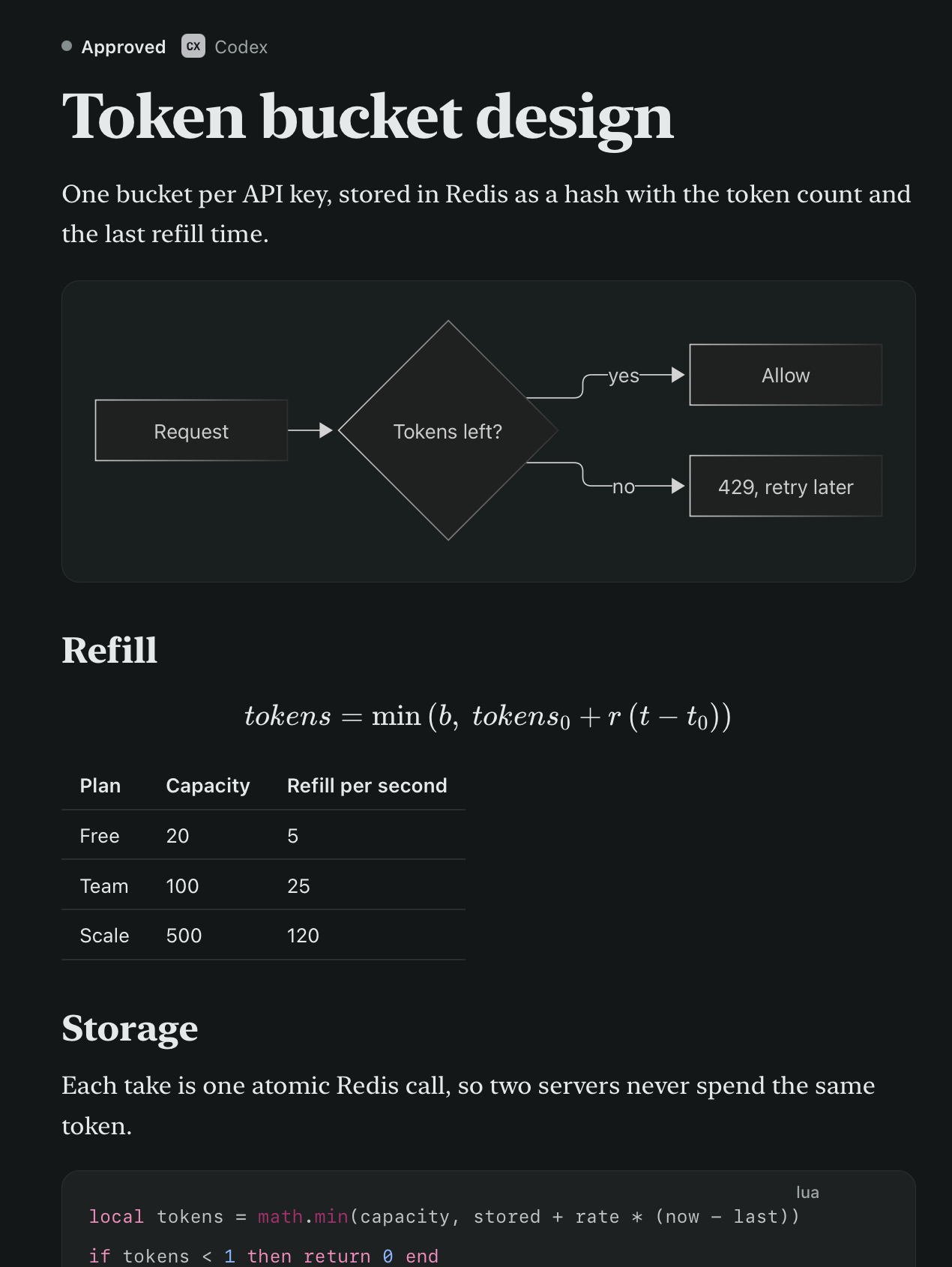
# Token bucket design
One bucket per API key, stored in Redis as a hash.
## Refill
tokens = min(b, tokens₀ + r (t − t₀))
| Plan | Capacity | Refill per second |
| Free | 20 | 5 |
| Team | 100 | 25 |
## Storage
Each take is one atomic Redis call, so two servers never spend the same token.
## Refill
tokens = min(b, tokens₀ + r (t − t₀))
| Plan | Capacity | Refill per second |
| Free | 20 | 5 |
| Team | 100 | 25 |
## Storage
Each take is one atomic Redis call, so two servers never spend the same token.
## Refill
tokens = min(b, tokens₀ + r (t − t₀))
| Plan | Capacity | Refill per second |
| Free | 20 | 5 |
| Team | 100 | 25 |
## Storage
Each take is one atomic Redis call, so two servers never spend the same token.
## Refill
tokens = min(b, tokens₀ + r (t − t₀))
| Plan | Capacity | Refill per second |
| Free | 20 | 5 |
| Team | 100 | 25 |
## Storage
Each take is one atomic Redis call, so two servers never spend the same token.